Questions
I have a discount code. Where does it go?
Type it in the Discount code box next to Pay $29 before you click. Checkout opens with the code applied and shows the new total before you pay. Already on the checkout page? Polar's own box is under Add discount code; on a phone, tap Order summary at the top to see it.
Do I need Excel?
No. It is one .xlsx file that opens in Excel 2016 or newer (Windows and Mac), Google Sheets (File, Import, Upload) and Apple Numbers.
How do I get the file?
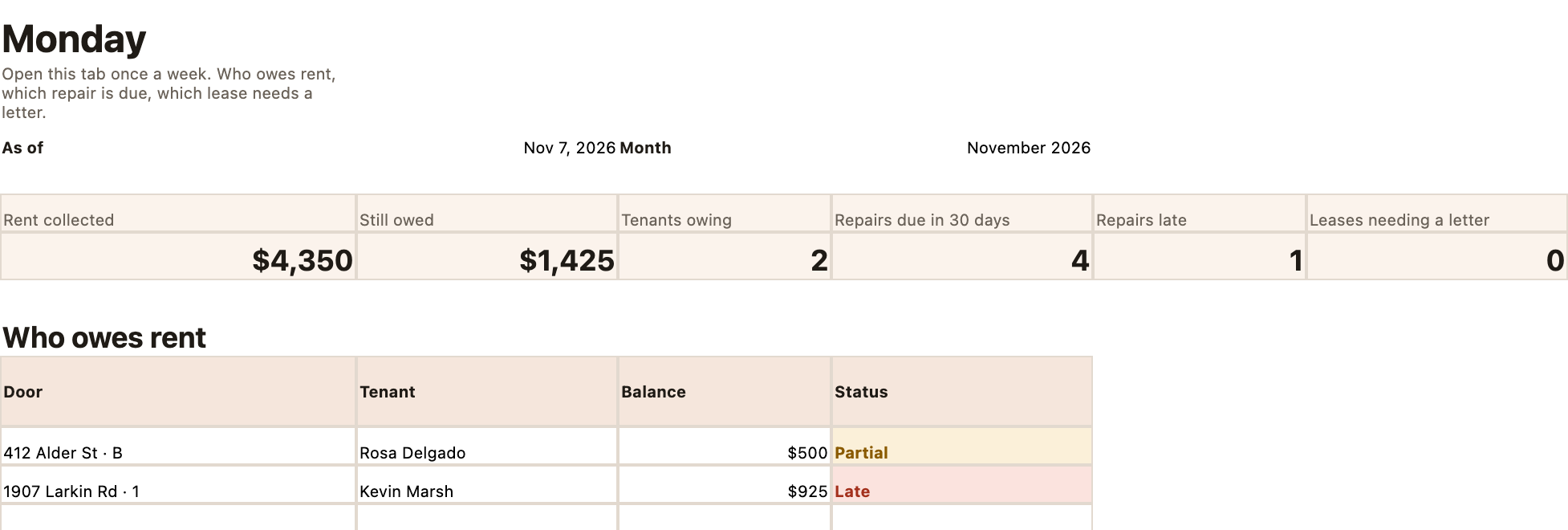
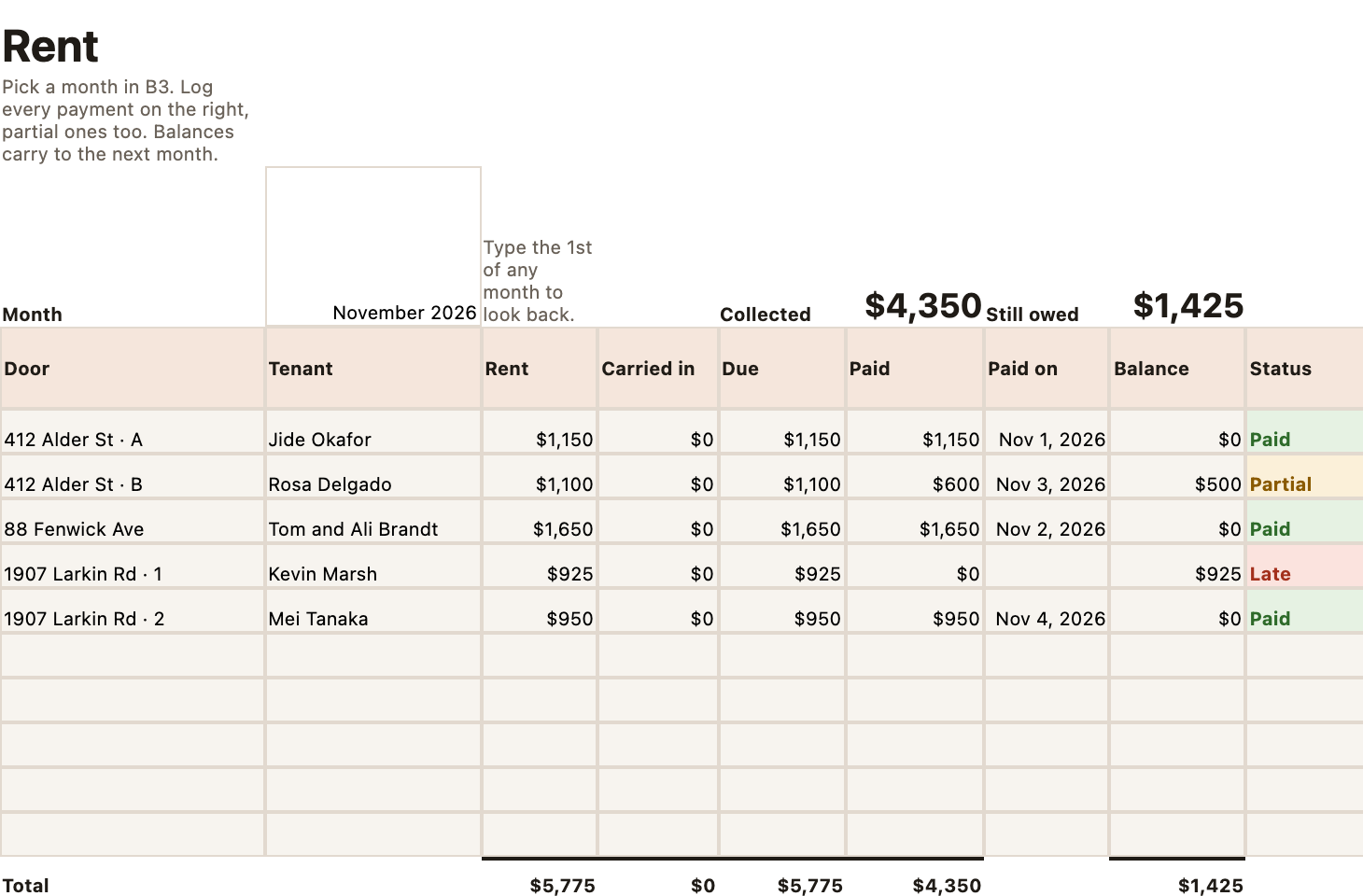
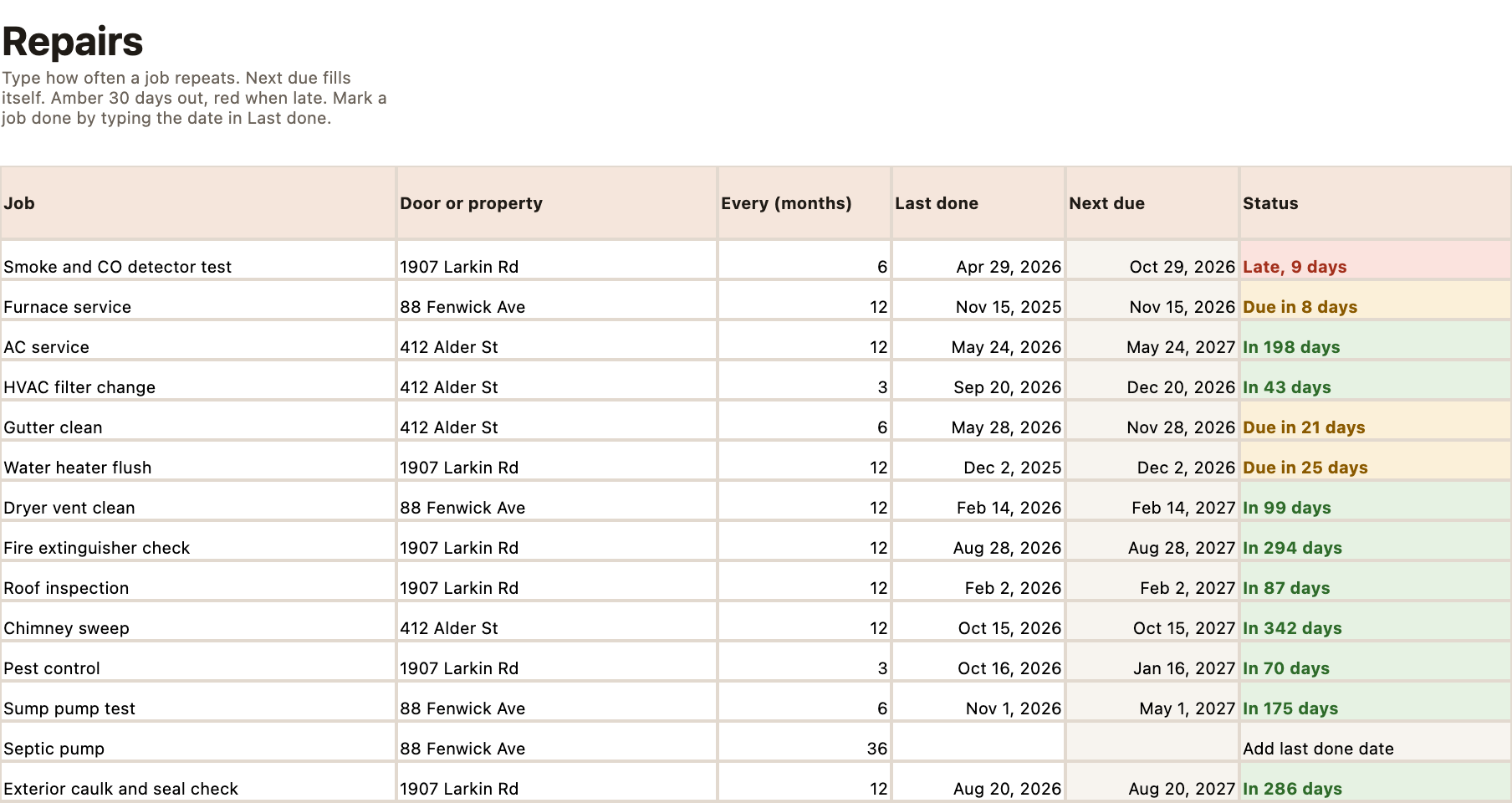
Right after you pay, Polar emails you a download link. You get two files: your blank workbook and a filled-in sample with 5 example doors.
How many doors does it handle?
Up to 10 doors across up to 10 properties, with room for 600 rent payments and 1,000 expense rows.
Does it connect to my bank?
No. You type payments and expenses in. Nothing leaves your file, so there is no bank sync to break and no login to hand over.
Is the Year summary my tax return?
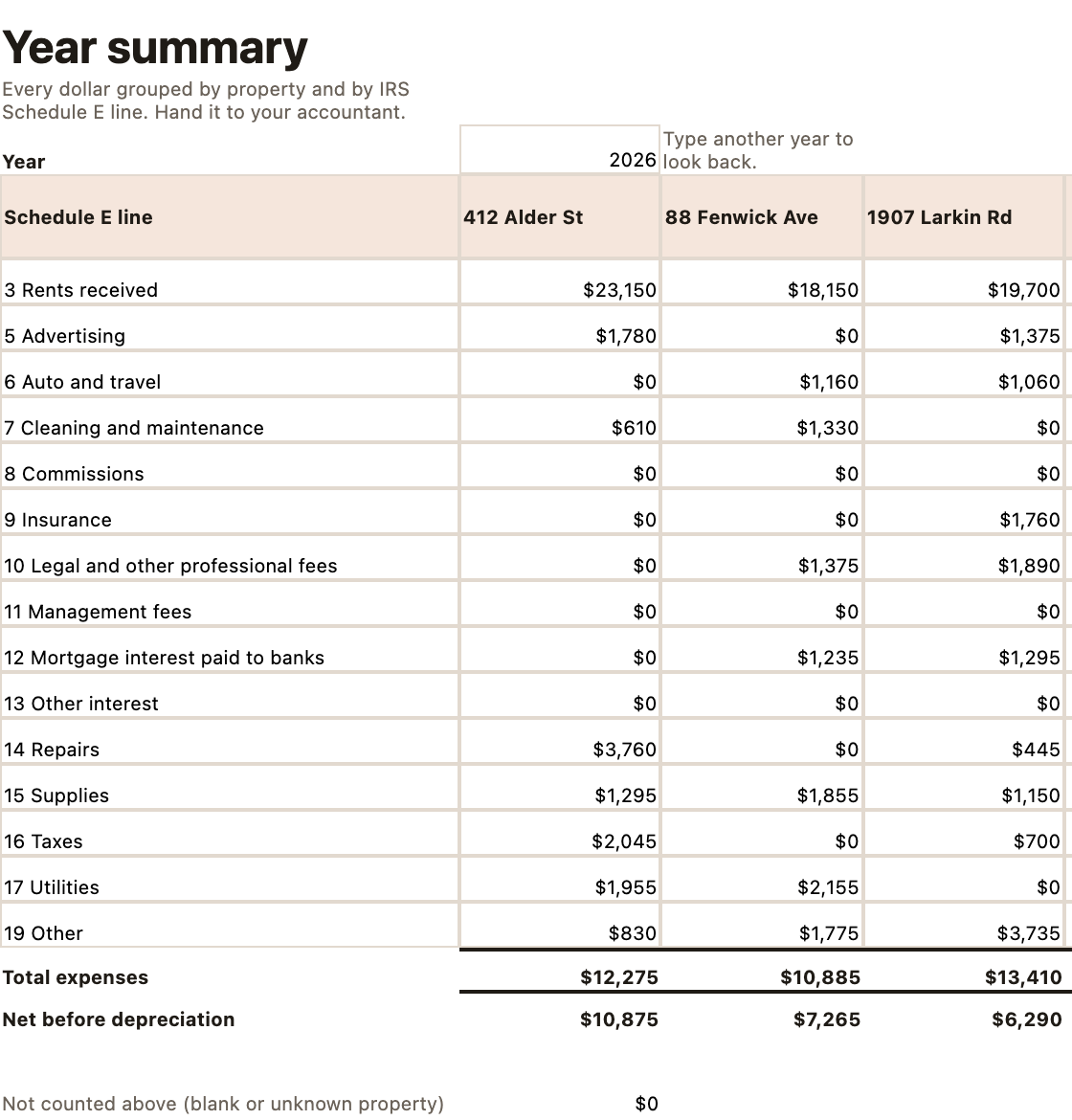
No. It groups your rent and expenses by property and by Schedule E line so your accountant can work faster. Rentsill organizes your numbers; it is not tax or legal advice.
Is this a subscription?
No. $29 once, and every buyer gets free updates to this workbook.
What if it is not for me?
Email [email protected] with the email you paid with and you get the full $29 back. No questions, no deadline.